


Dylan NathanHTC VIVE — VIVE OS & Systems01 — DESIGN SYSTEMS
A shared design language scaling across VR, mobile, and webOmni is the design system underpinning VIVE and VIVERSE products across platforms — built and evolved by a cross-functional design team that I led as Creative Director and Principal Designer. The system defines a shared visual and interaction language spanning native VR, all-in-one headsets, mobile, and web, so that a component built once holds up whether it's rendered as a flat 2D surface or a spatial panel floating in a room. The core of the system is a distance-based visual model: UI is organized into near, mid, and far zones based on how a user physically interacts with it, from direct-touch panels within arm's reach to traditional 2D dashboards viewed from a distance. Each zone carries its own visual treatment, sizing, and input model, letting the same underlying components adapt coherently across contexts rather than being redesigned per surface. That model is grounded in real ergonomic constraints — reach envelopes, comfortable interaction angles, and minimum touch targets — rather than aesthetic preference alone. The system's foundations are fully tokenized (color, elevation, typography, spacing) across light, dark, and transparent themes, giving teams a governed, extensible base rather than a fixed style guide. At the interaction level, this rigor extends down to the centimeter: hover, tooltip, and cursor states for direct-touch input are triggered by precise proximity thresholds, giving users clear, anticipatory feedback as a hand approaches a target rather than an abrupt hit-or-miss response. 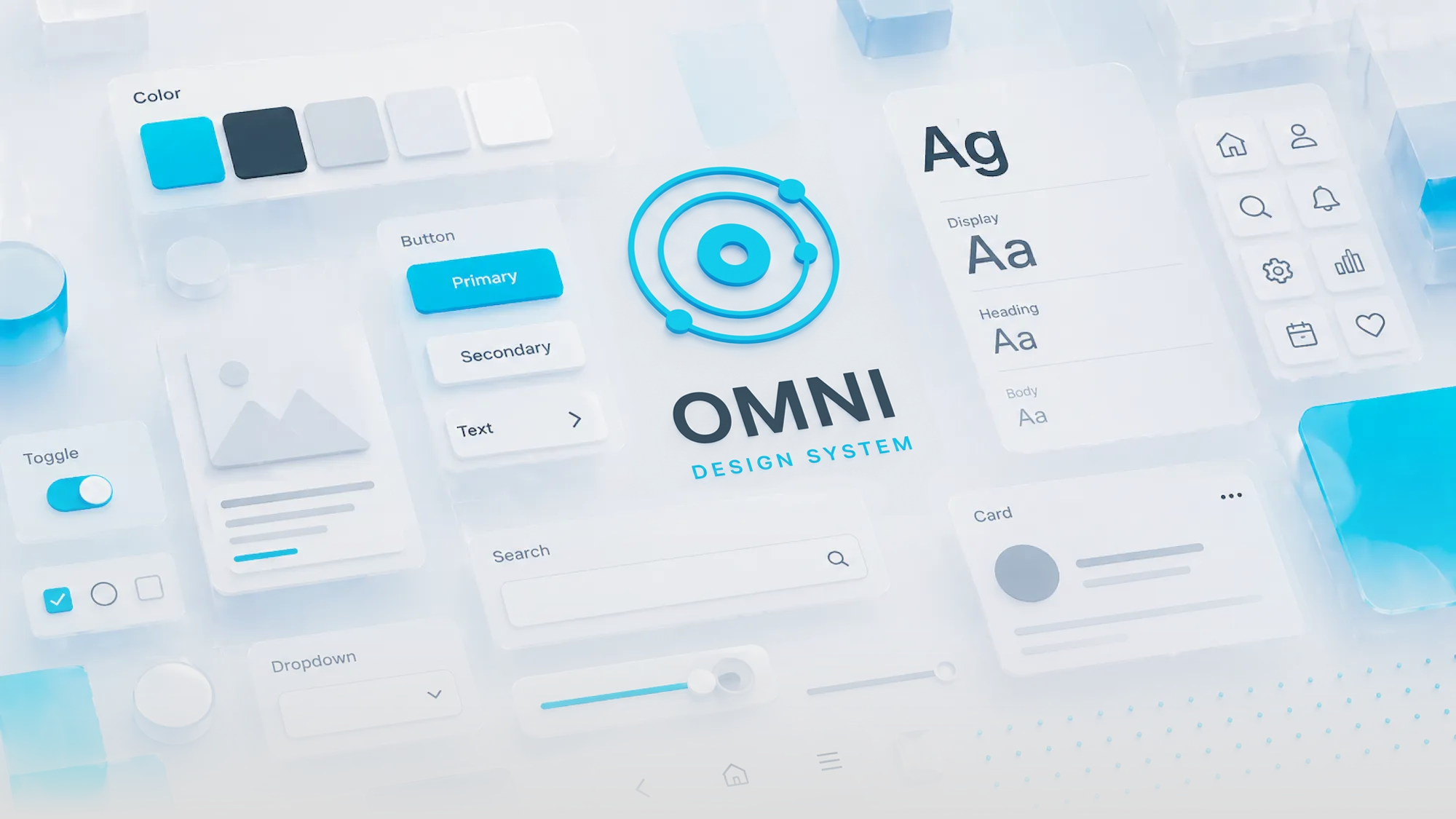
Omni component library and core visual language — buttons, typography, iconography, and system tokens
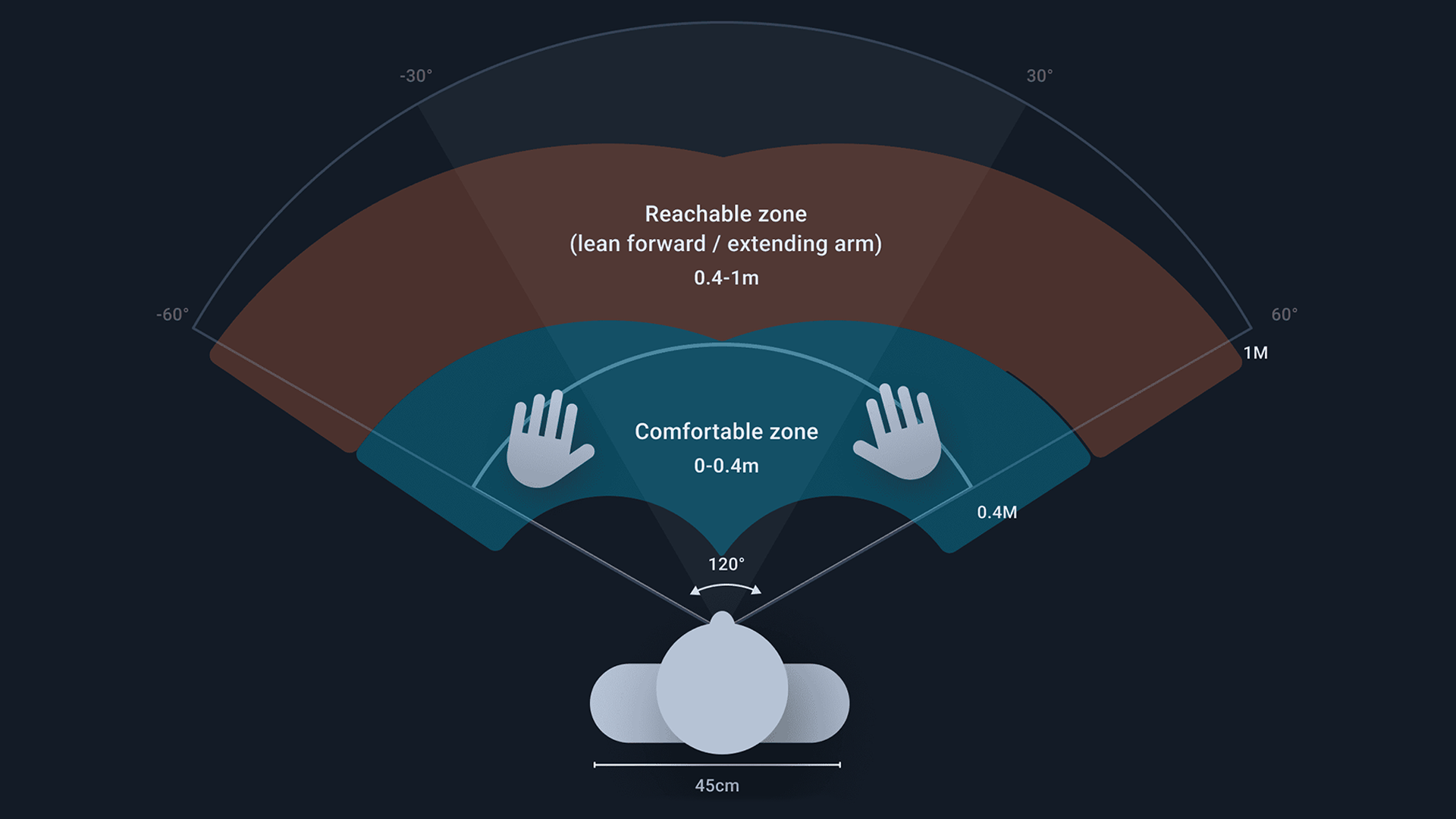
The Omni visual system — UI organized into near, mid, and far zones based on interaction distance, from direct spatial manipulation to traditional 2D surfaces
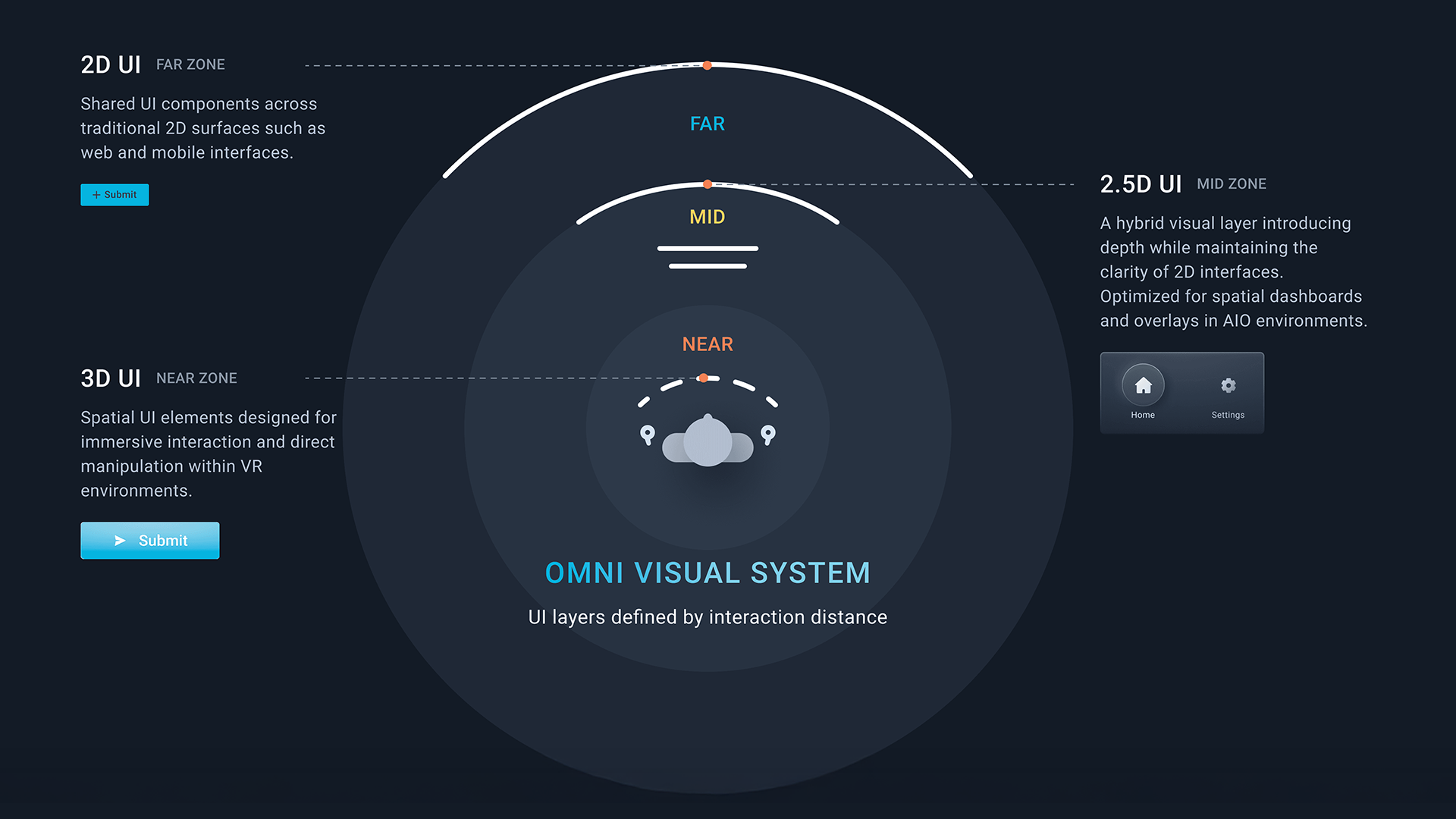
Ergonomic interaction zones — reach envelopes and comfortable interaction angles grounding the system in physical constraints
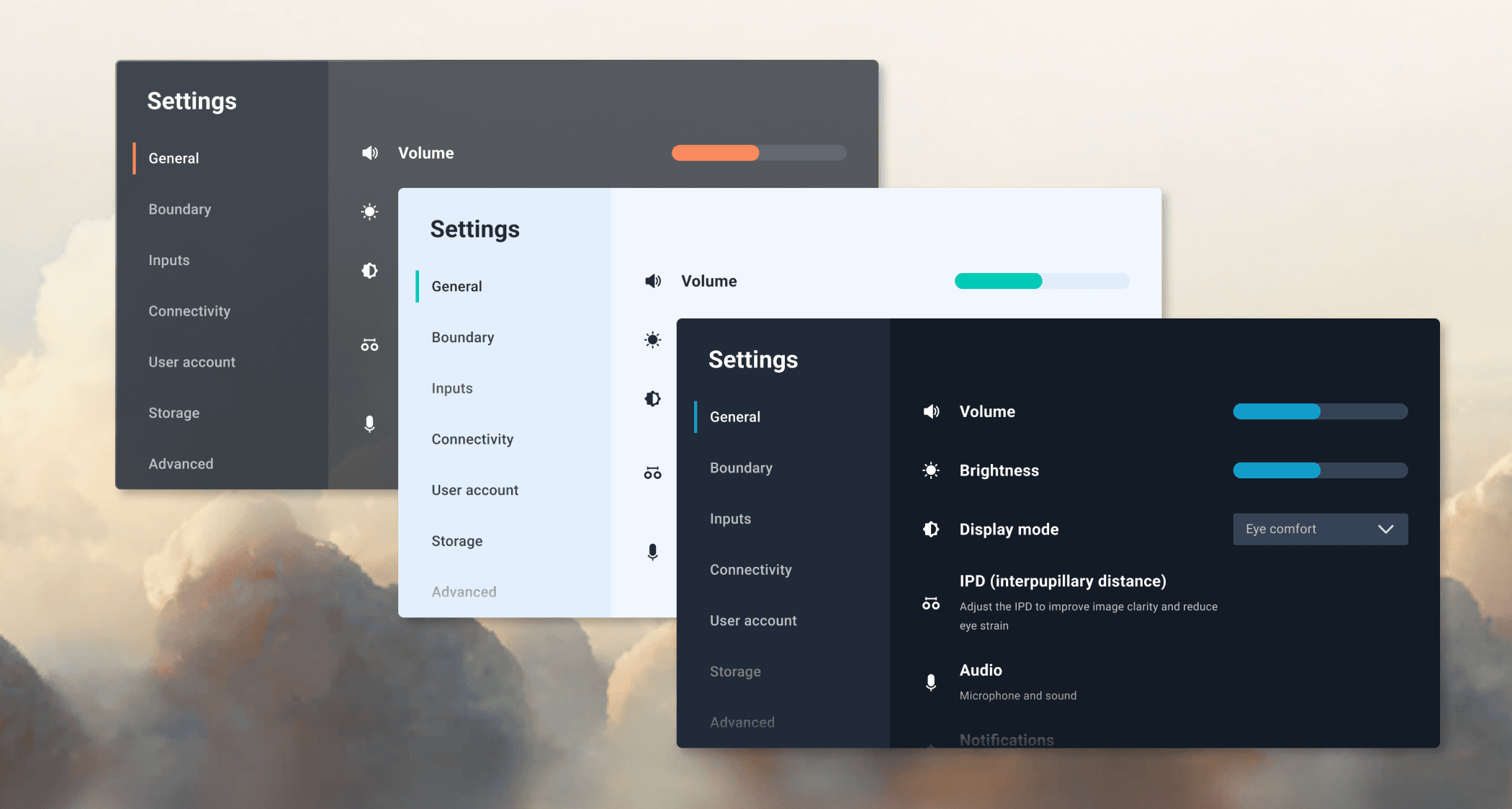
Tokenized theme foundations — shared color, surface, and component values across transparent, light, and dark modes
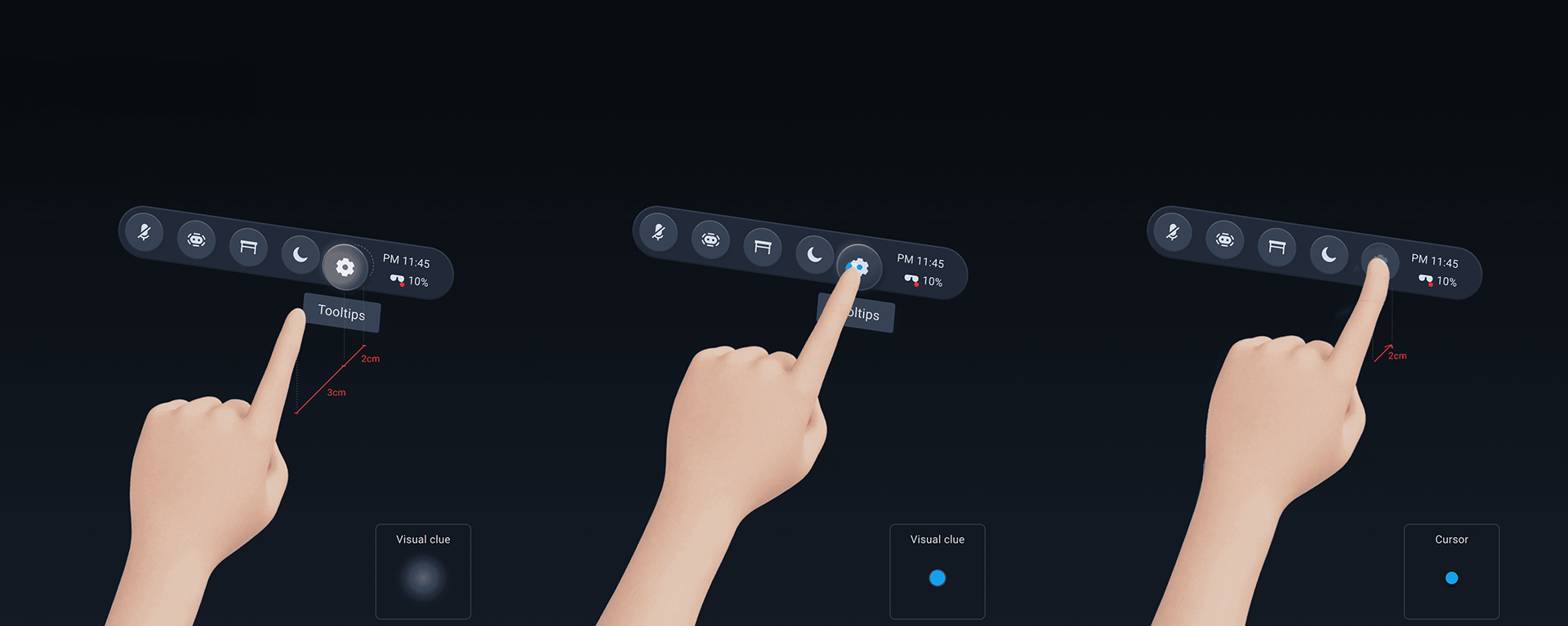
Proximity-based interaction feedback — hover and cursor states triggered by precise distance thresholds during direct-touch input
02 — MR SPATIAL DESIGN SYSTEM
Translating VIVE OS into a mixed reality operating system for Focus VisionAs Focus Vision's newest hardware revision brought significantly improved color passthrough cameras, VIVE OS needed a corresponding shift — from a system designed primarily for fully immersive VR to one built to live alongside the real world. This is the MR spatial design system currently in development for that hardware: a translation of VIVE's existing OS into an operating system built around passthrough as the default state, not an occasional mode. Two principles guided the work. The system should honor the real world — menus and system chrome are designed to minimize obfuscation of the user's physical space rather than covering it, and content is presented with transparency and restraint so the room stays visible and legible. And the system should be built for mobility — content is body-locked rather than fixed to a location, so a user can launch and access what they need no matter where they physically are. That shows up most directly in the App Library, redesigned for passthrough: apps and widgets float as icons in the user's actual room rather than inside an enclosing virtual environment, organized into simple tabs and swipeable pages. The Control Center — quick access to core system functions like connectivity, volume, and display — adopts a translucent glass treatment so system controls never fully occlude the space behind them. Spatial widgets extend this further: persistent, glanceable app extensions that live directly in the user's passthrough environment rather than requiring a full app to be opened. A single interaction pattern, the Dynamic Dot, governs all of them — invisible at rest, a small non-intrusive indicator on gaze, expanding to a scalable 2–6 button menu on gaze-pinch — so the same lightweight gesture works whether a widget needs two controls or six. The weather widget applies this pattern to a persistent overhead "personal sky," using idle time to surface useful glanceable information; the same VIVERSE Pet from earlier in this page reappears here as a widget, guiding spatial setup and demonstrating passthrough object occlusion in a more playful register. 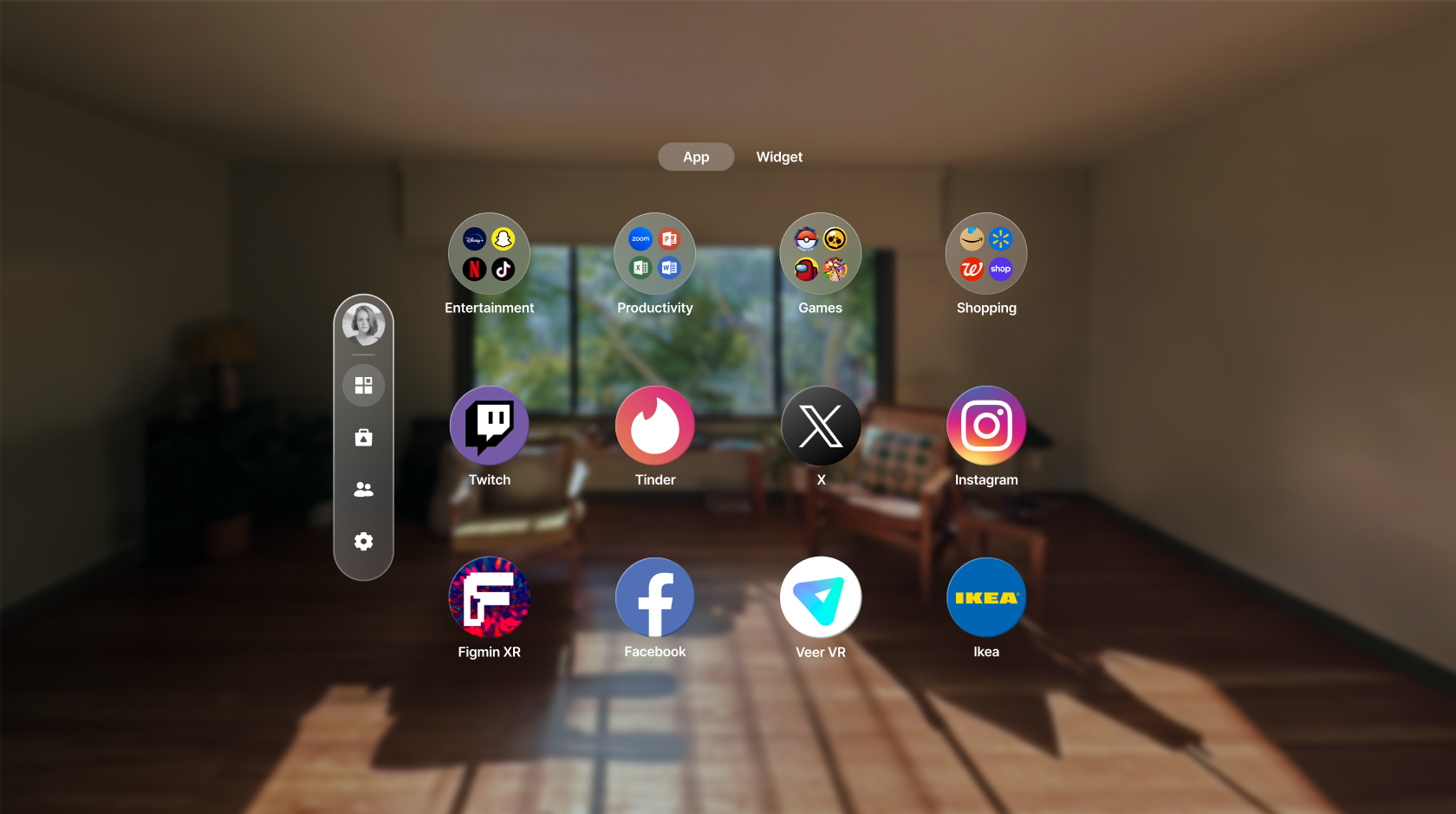
Spatial App Library, redesigned for passthrough — apps and widgets rendered as floating icons within the user's own room
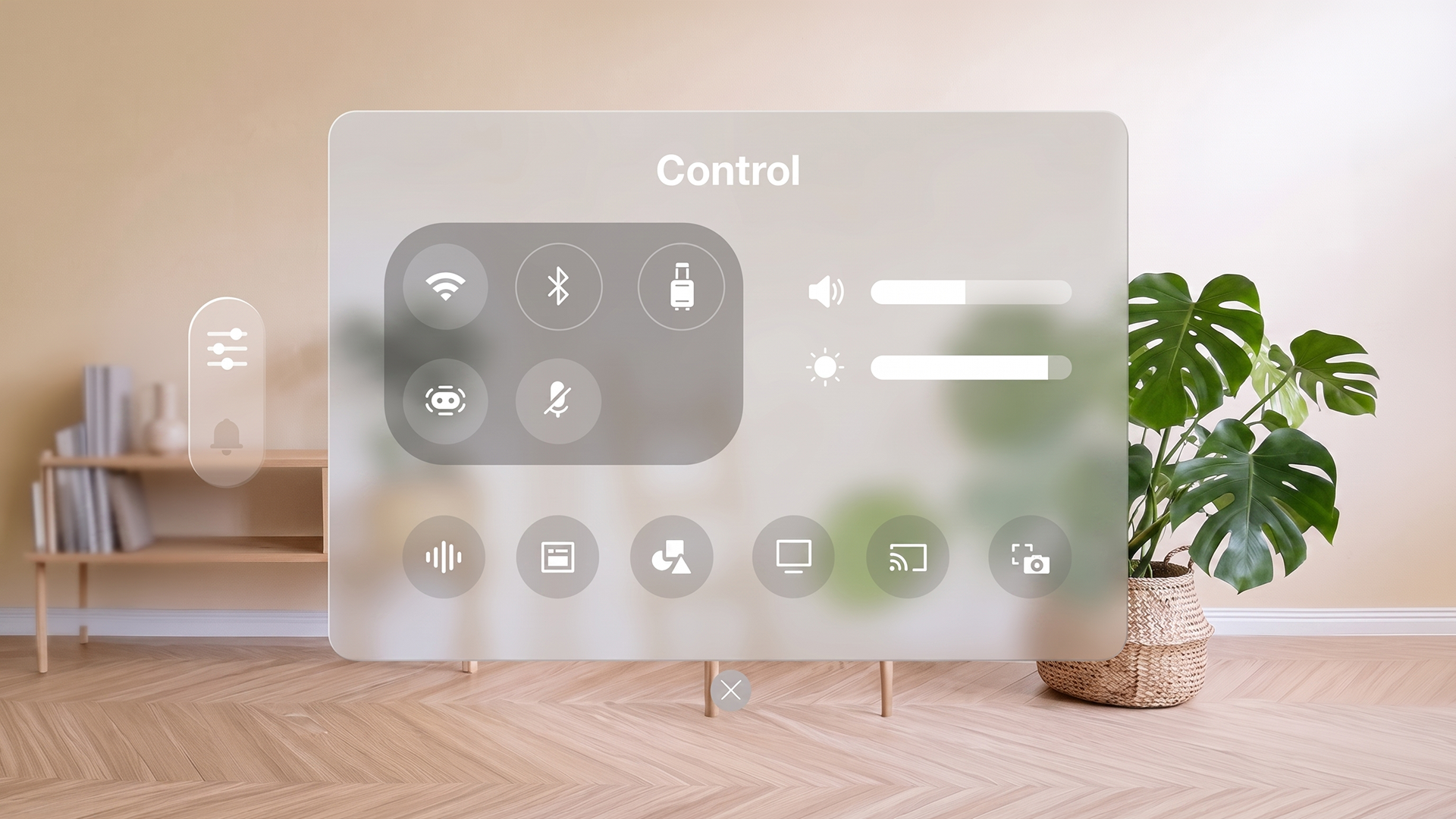
Control Center — core system functions accessible from anywhere, with a translucent glass treatment that preserves visibility of the space behind it
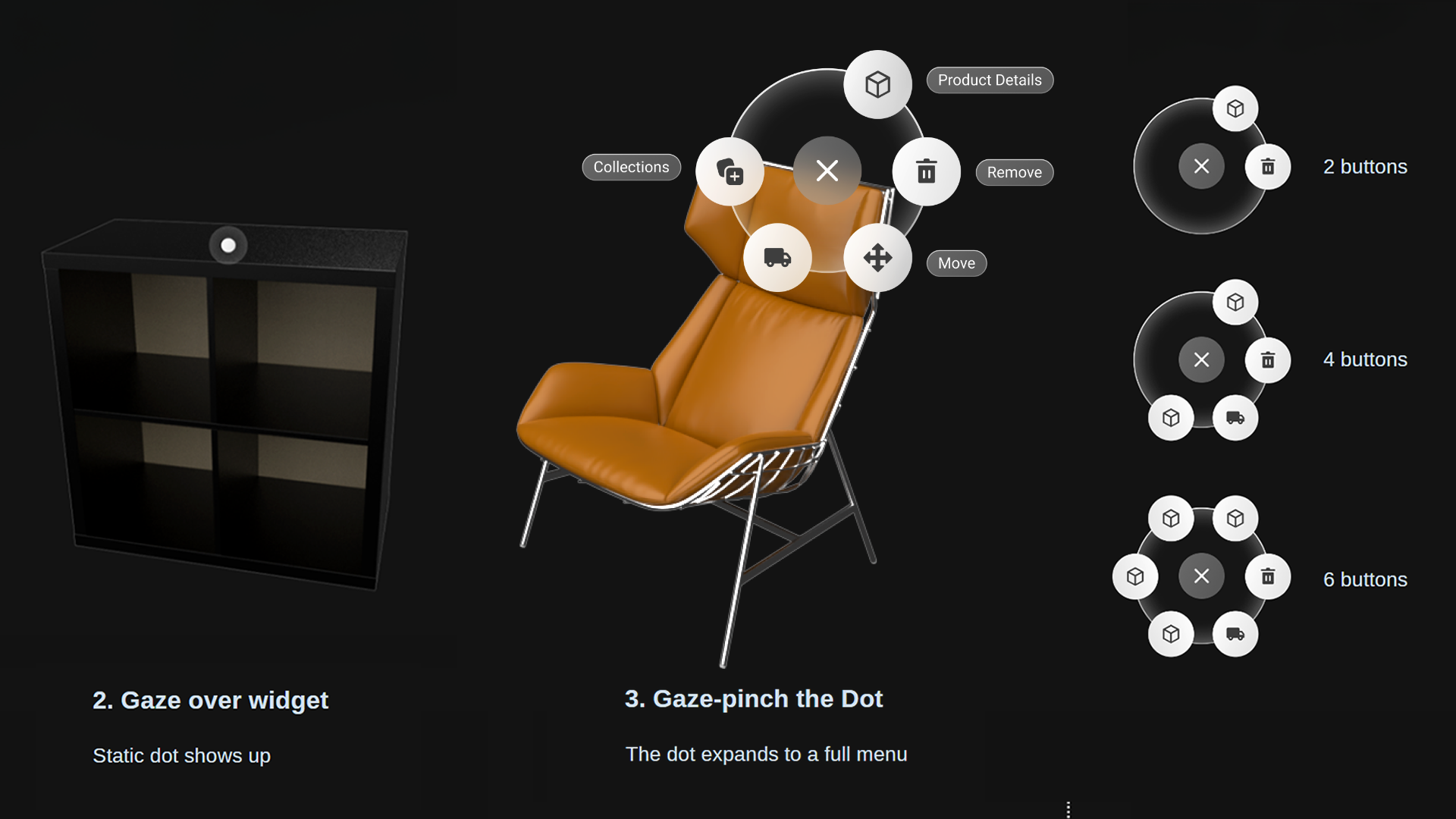
The Dynamic Dot — a single interaction pattern governing all spatial widgets, from an invisible idle state to a scalable 2–6 button menu on gaze-pinch
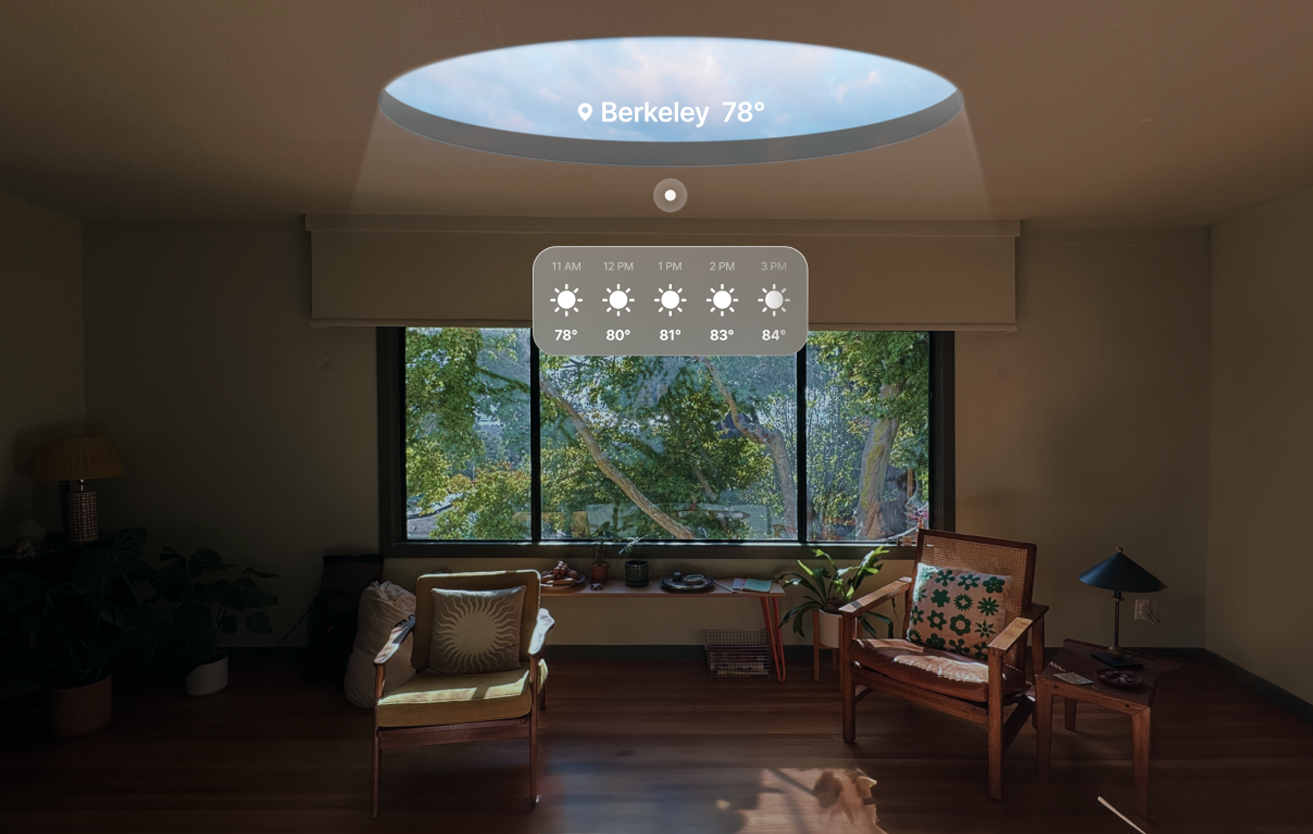
Weather widget — a persistent overhead "personal sky" surfacing glanceable information during idle moments
03 — The Space
A persistent personal environment for social presence in VRVIVERSE Home is a personal spatial environment designed to serve as a user's persistent base within the VIVERSE platform — a space to invite friends, express identity, and spend time together in VR. The architectural design prioritizes openness and calm: a two-story structure with generous sight lines, a central firepit as a social anchor, and a second-floor balcony and meditation loft that offer quieter, more contemplative spaces within the same environment. A dedicated area for musical instruments hints at future interactive possibilities. The home connects outward to the wider VIVERSE ecosystem, allowing users to move from their personal space into shared worlds and back again, with friends able to visit, join activities, and explore together. 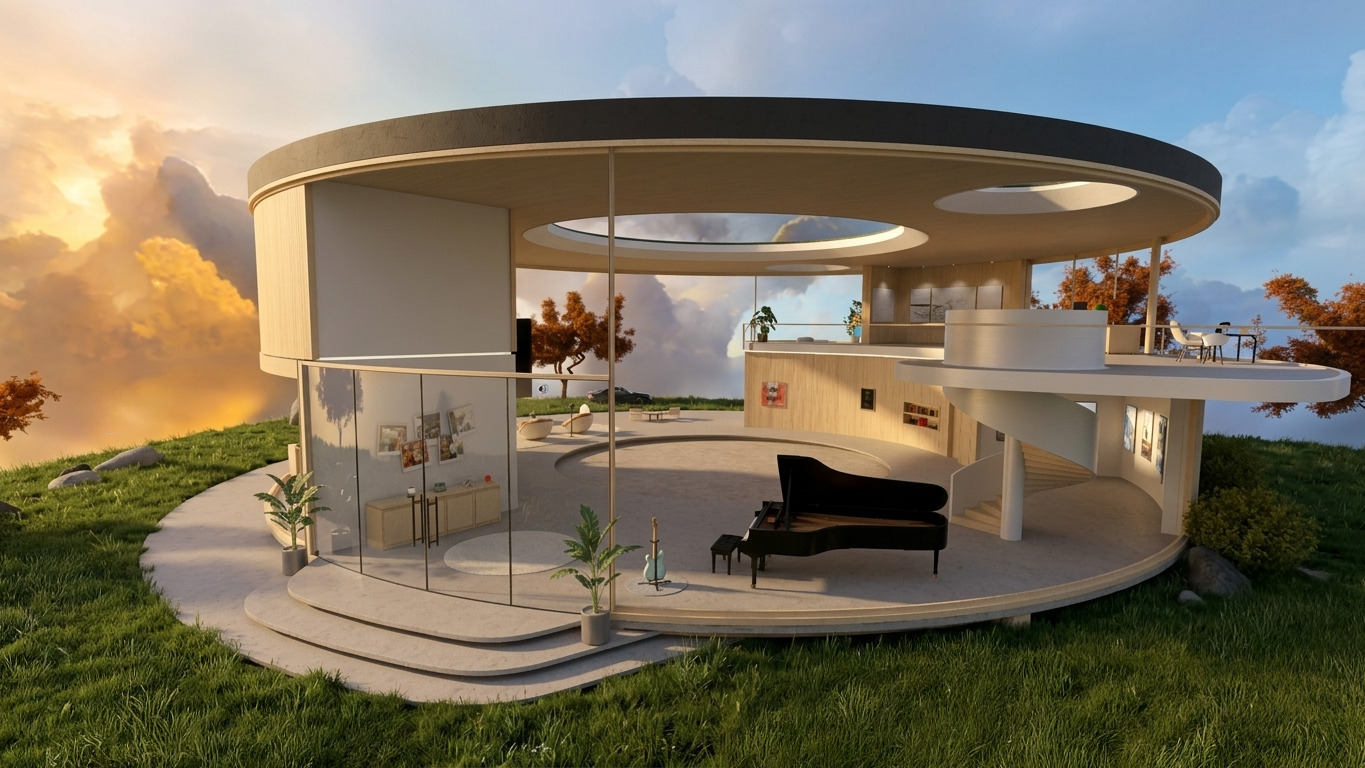
VIVERSE Home — exterior view of the full residential environment
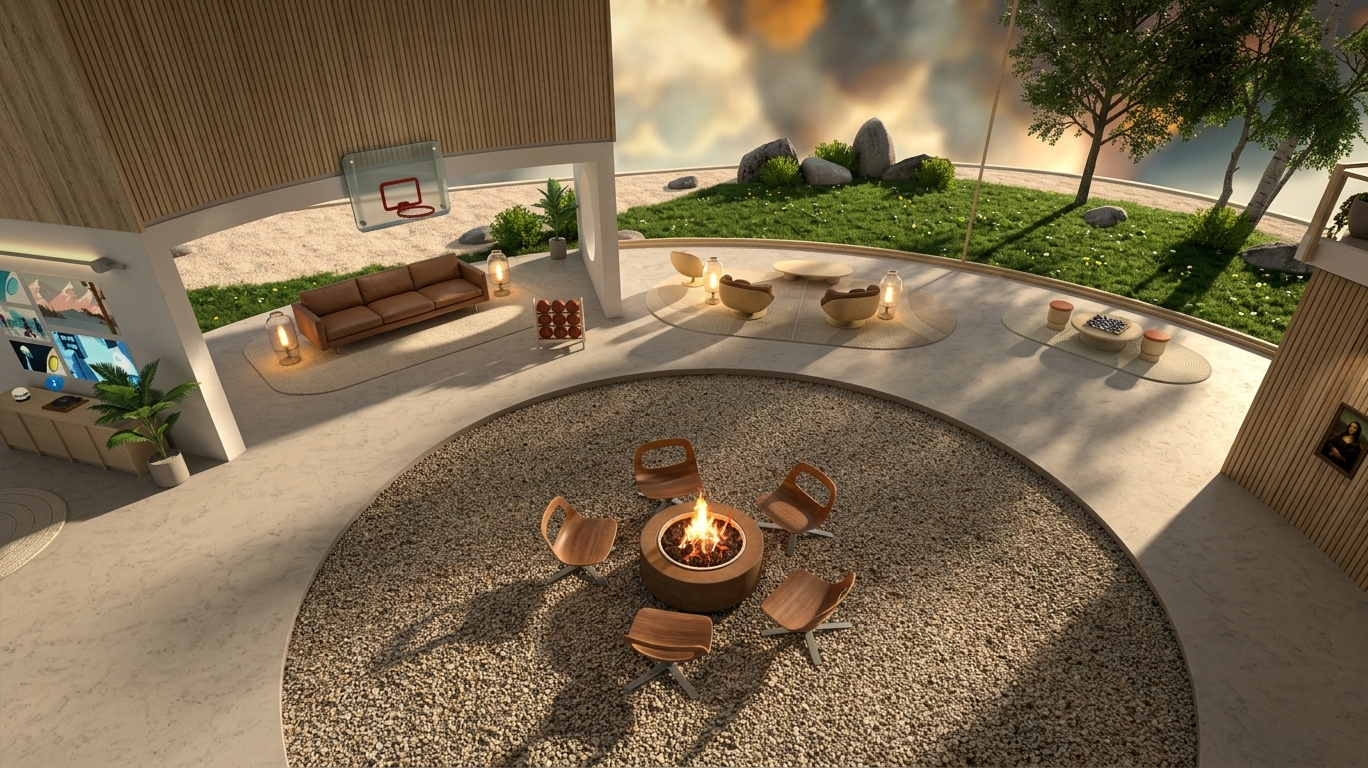
Central firepit viewed from the second floor balcony — the social anchor of the space
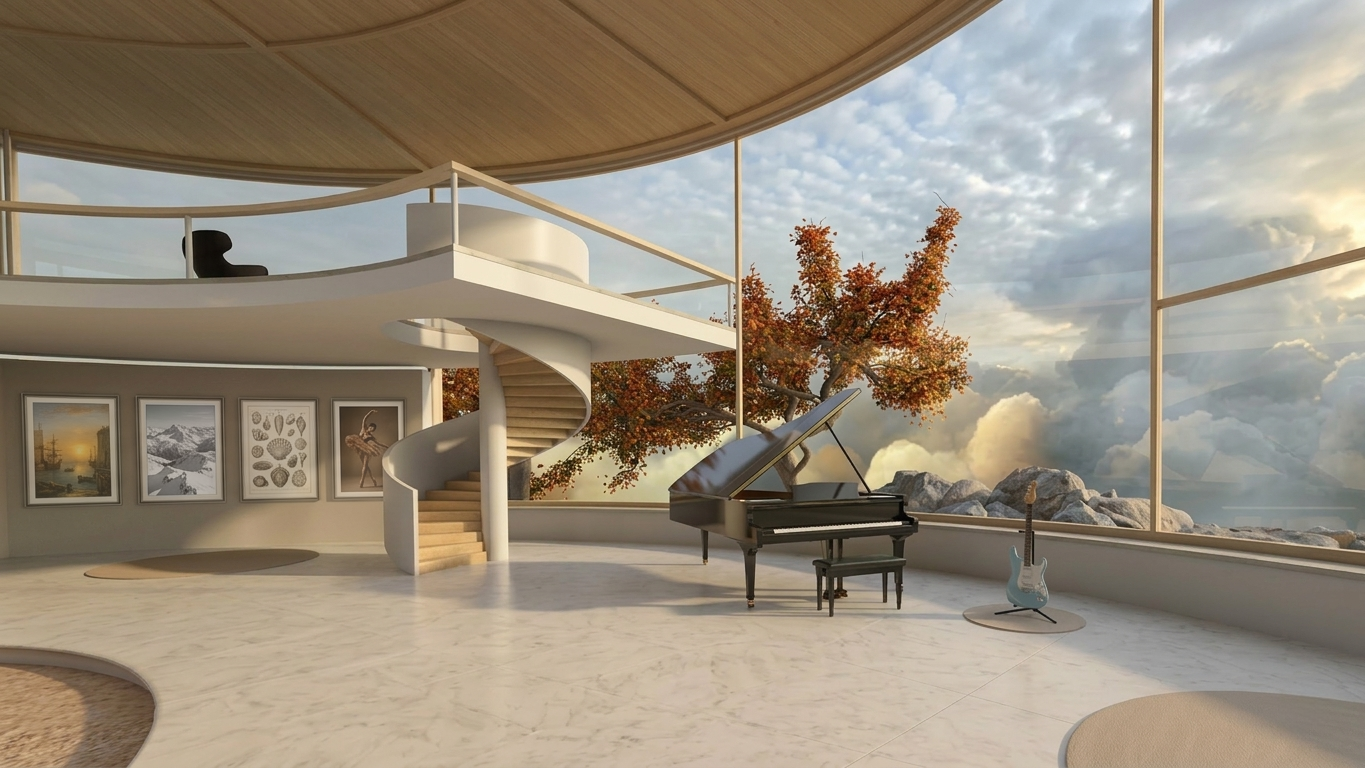
Staircase to the second floor and the musical instrument area
04 — Social Activities
Shared activities designed around presence, not performanceThe activities within the home were designed to be low-stakes and social — things to do together rather than competitive games. Basketball was designed as an easy pickup activity with no strict rules, using full multiplayer physics synchronized across the network — a first for the VIVERSE platform. A personal memory wall allows users to display their own photos, imported directly from VIVERSE's file system. A music player offers background tracks to set the atmosphere of the space. The second-floor meditation loft provides a quieter retreat within the home, complete with an incense stand that when activated fills the space with ambient sound and surrounding plant life — a small but considered moment of calm within the platform. 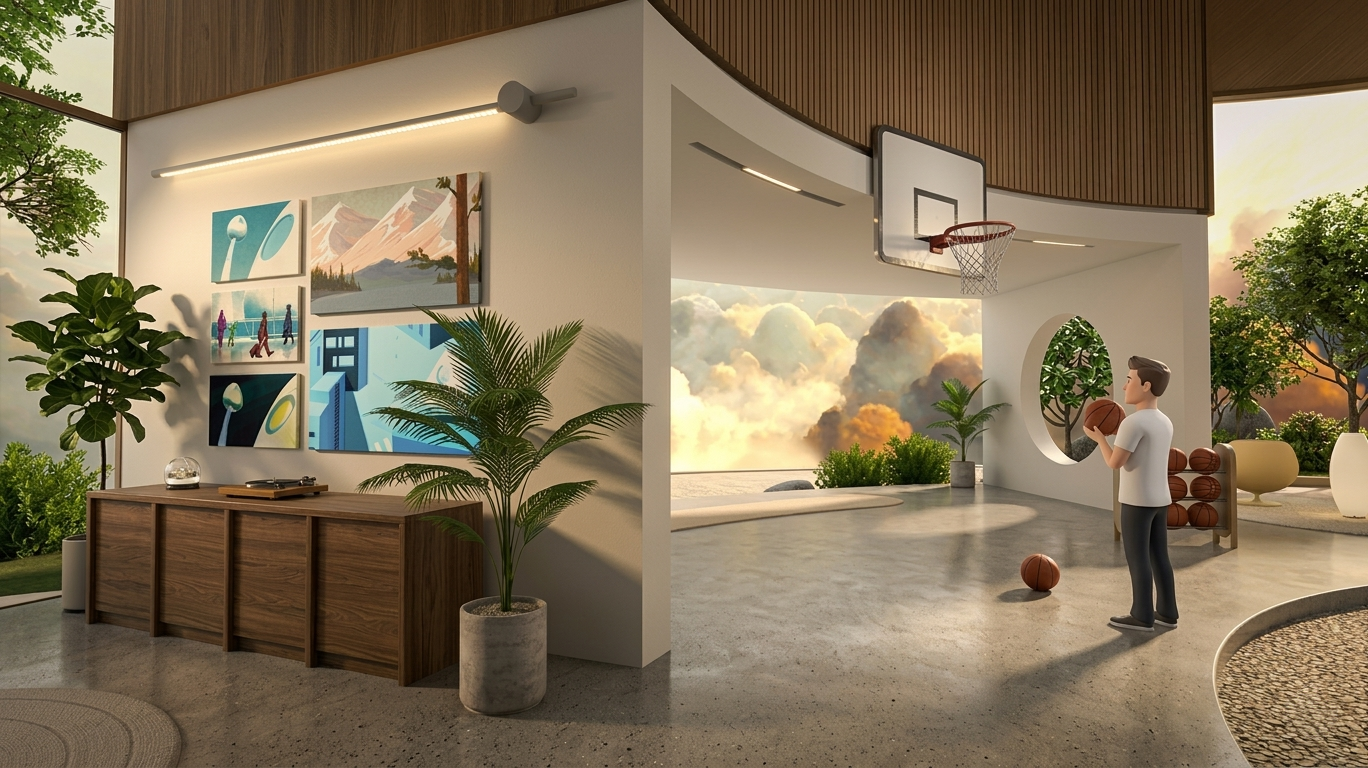
Multiplayer basketball — networked physics across multiple users, a first for the VIVERSE platform
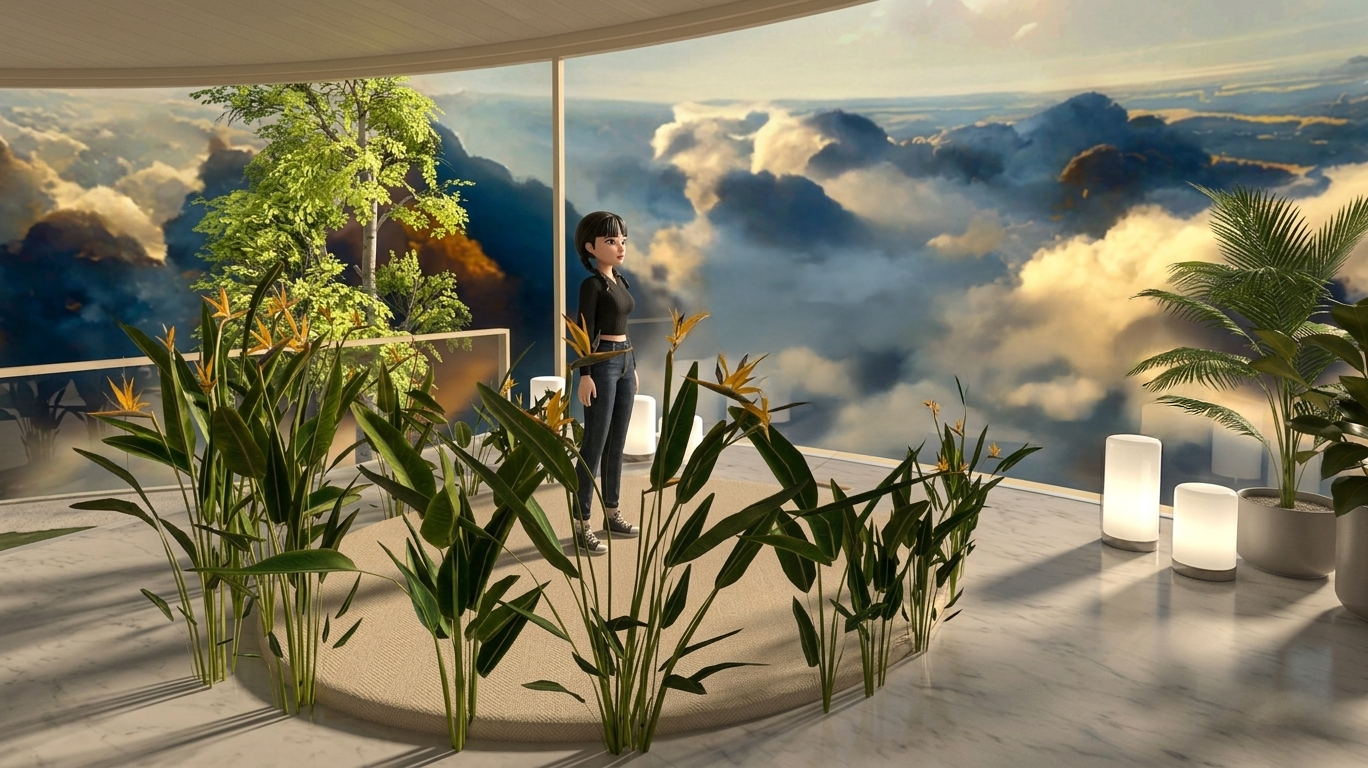
Second floor meditation loft — incense, ambient sound, and surrounding plant life activated on demand
05 — The VIVERSE Pet
A character-driven interaction layer within the homeTo bring a sense of life and companionship to the space, I designed the VIVERSE Pet — an interactive virtual dog that responds to user behavior through an expressive, state-driven interaction system. Users can pet the dog, throw a ball for it to fetch, and observe a rich library of ambient behaviors including sleeping, yawning, scratching, sitting, standing, looking around, digging, eating, and drinking. The interaction flow defines how behaviors are triggered, sustained, and transitioned based on user input and idle state — giving the pet a sense of genuine character rather than a looping animation set. The system was designed to reward presence: the more time a user spends in the space, the more of the pet's personality they discover. Left: user petting and playing fetch — shot on HMD. Right: full behavior library including sleeping, yawning, digging, eating, and idle states
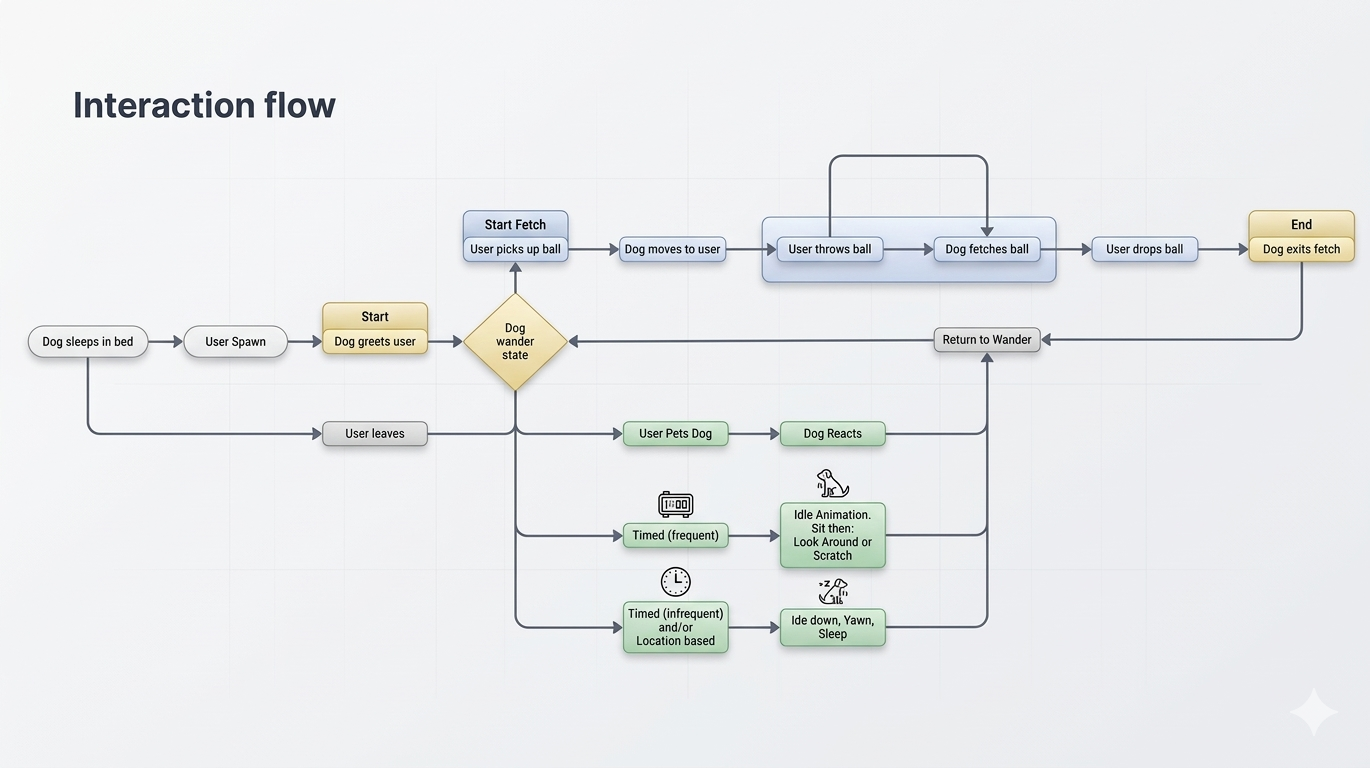
Interaction flow diagram — behavior triggers, state transitions, and the logic driving the pet's responses to user input
06 — Generative Environments
AI skyboxes — transforming the atmosphere of the home from a text promptThe AI Skybox system allows users to transform the world outside their home by generating panoramic environments from text prompts. Each skybox wraps the surrounding landscape in a new scene — shifting the ambient lighting, the mood, and the entire atmosphere of the space. I built and trained a custom LoRA in ComfyUI specifically for skybox generation, producing seamless 360-degree panoramic textures that wrap without visible seams and respond naturally to the home's interior lighting. The result ranges from calm sunset cloudscapes to surreal environments to dramatic natural landscapes — giving users a meaningful way to personalize their space and a simple, accessible entry point into generative AI creativity within VIVERSE. 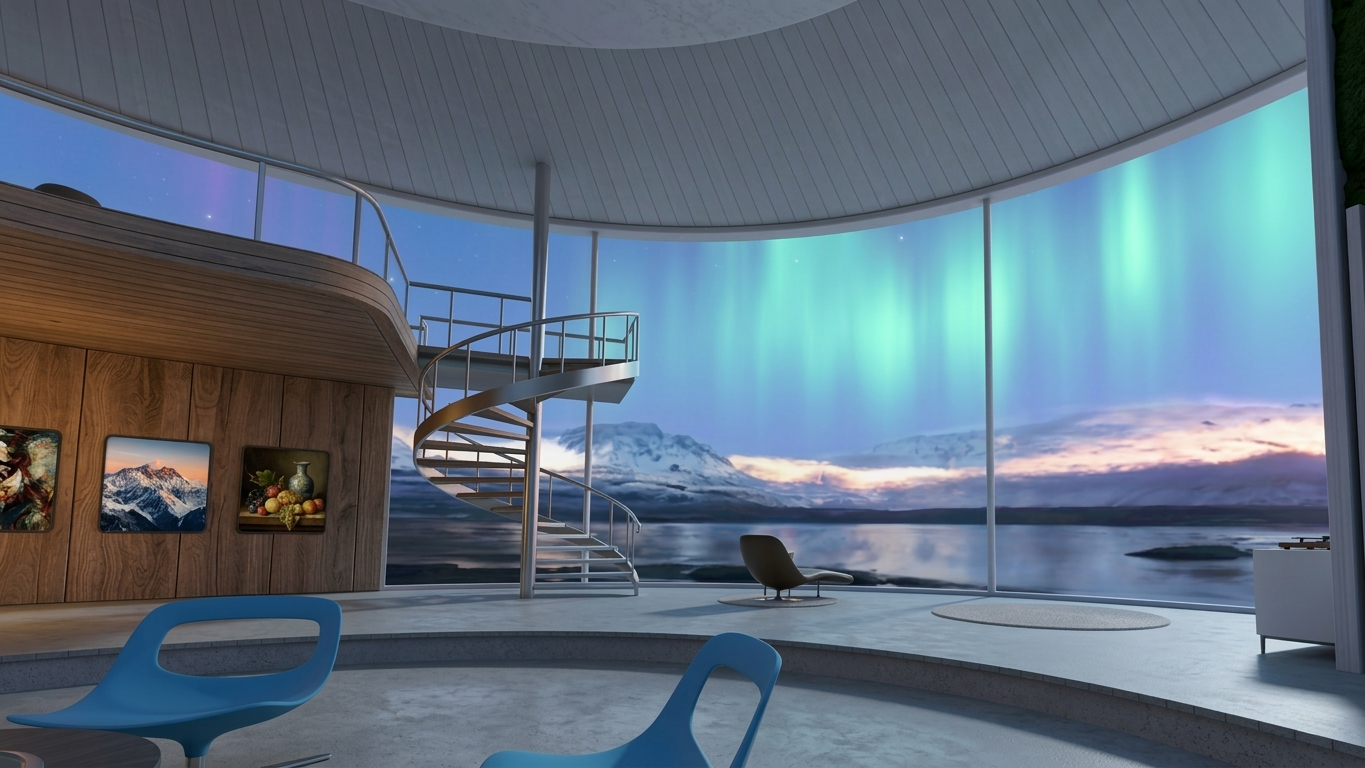
Icelandic night with Aurora Borealis — AI-generated skybox illuminating the home interior in real time

Sunset above the clouds

Daytime cloudscape

Alpine mountain panorama
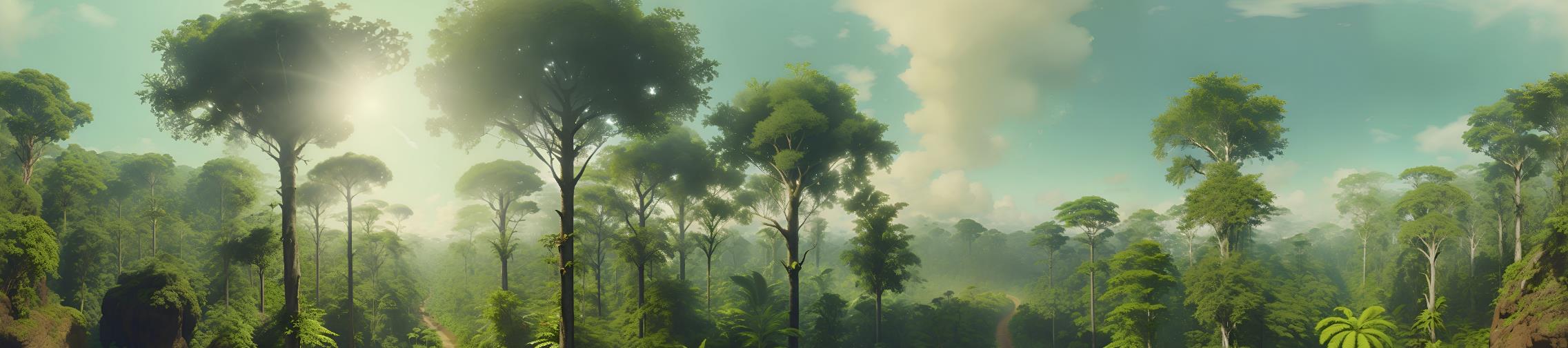
Dense rainforest environment
AI-generated skyboxes shown in real time on HMD — various environments demonstrating the range of the generative system
|